Free button templates for your button maker
Printable PDF templates with cut, face and safe-area lines for standard 2.25 inch and 1.25 inch button makers. Free to download, no email needed.
What is a button template?
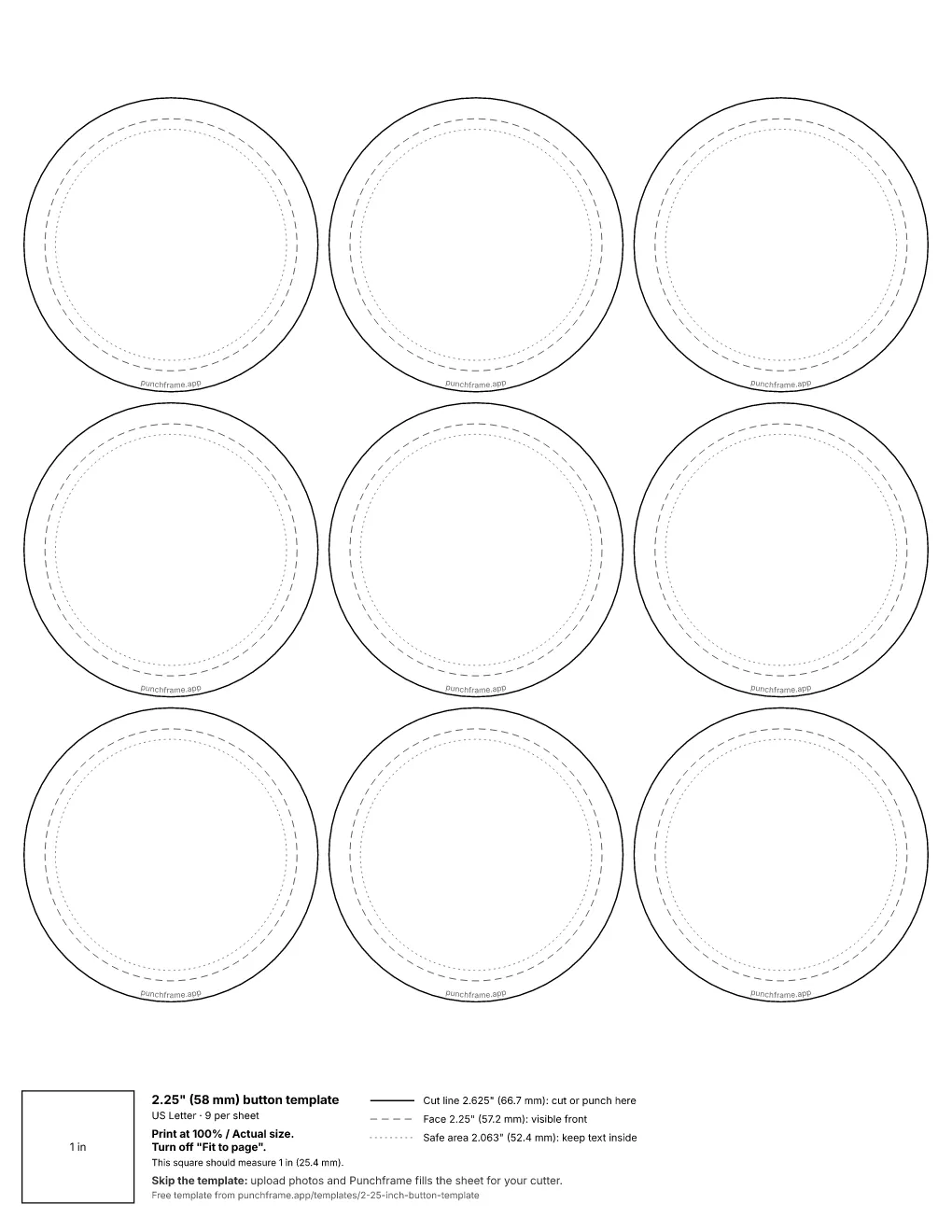
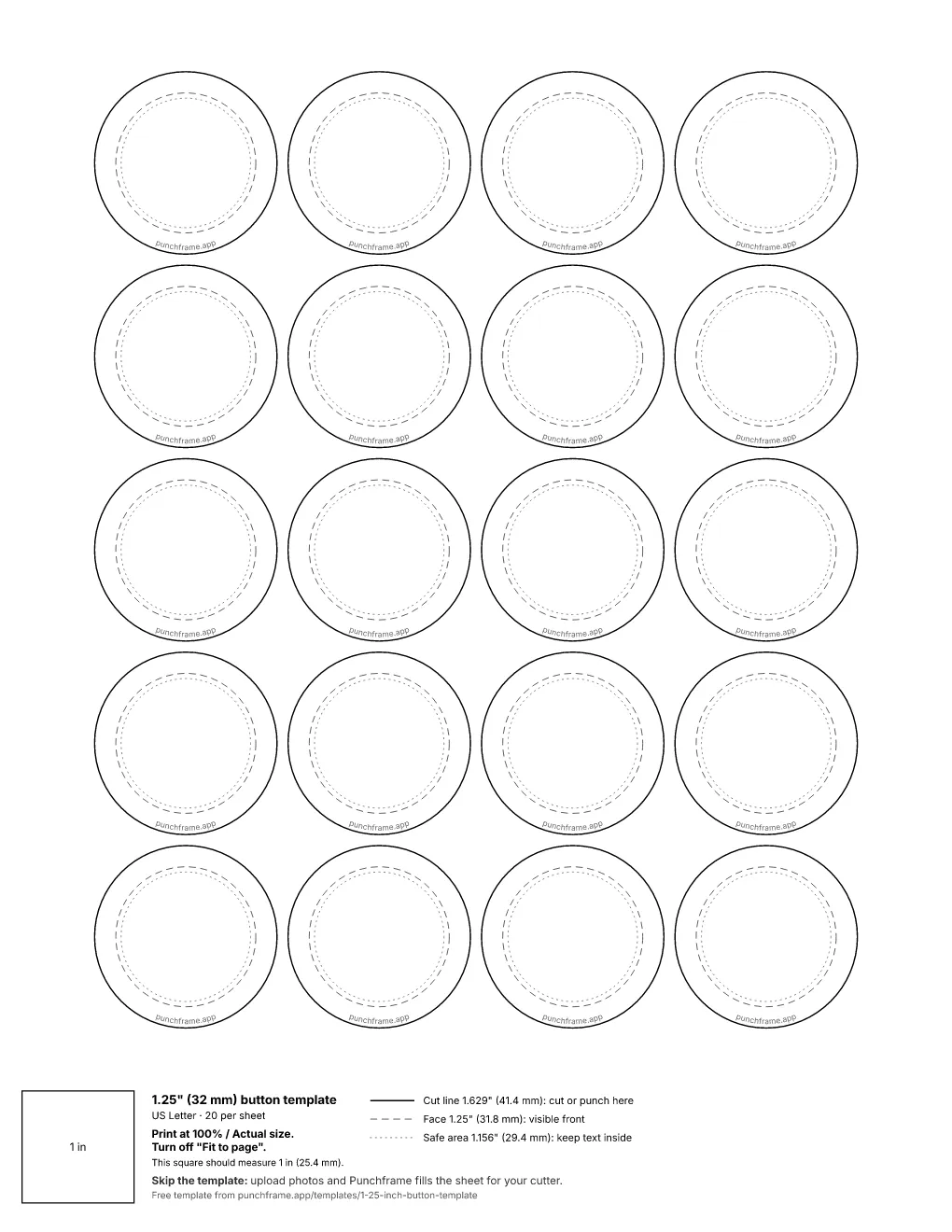
A button template is a printable sheet of circles sized for a button maker. Each circle has three guides: the cut line, where you cut the paper; the face line, the part that shows on the front of the finished button; and the safe area, where text and faces stay clear of the curved edge. The paper circle is larger than the button because the extra paper wraps around the edge of the metal shell.
Which button maker template size do I need?
Match the template to the button size of your machine or die, not to your paper size. The most common sizes are the 2.25 inch button template and the 1.25 inch button template. Cut sizes vary slightly by brand, so each template page lists the exact cut, face and safe-area measurements it uses.
How to print a button template at the right size
- Open the PDF in a PDF reader such as Adobe Acrobat or Preview rather than a browser tab when you can.
- In the print dialog choose Actual size or 100%. Turn off Fit to page and Scale to fit.
- Print one test sheet and measure a cut circle with a ruler before printing more.
- Cut on the cut line with a circle cutter or scissors, then press as usual.
Pin and photo button templates
These sheets work as button pin templates and pin maker templates for any press that takes standard shells. In the UK and Australia the same product is usually called a badge. If you searched for a pin template to design, print and cut, this is it: a grid of circles sized to your machine.
Skip the template
Upload photos and Punchframe fills the sheet for your cutter. Each photo is framed inside the face circle, and the sheet prints at the exact size for your circle or square cutter.
Frequently asked questions
What is a button template?
A printable sheet of circles sized for a button maker, with a cut line, a face line and a safe area. You place a design in each circle, print at 100% scale, cut on the cut line and press it into a button.
Why is the paper circle bigger than the button?
The paper wraps around the edge of the metal shell and tucks underneath. A 2.25 inch button, for example, uses a paper circle of about 2.625 inches (66.7 mm).
Do button making templates work with any button maker?
They work with any machine made for the same button size. Cut sizes differ slightly between brands, so compare the template's cut line with a paper circle from your machine's supplier before printing a full run.
Are these button templates free?
Yes. The PDFs are free for personal and commercial use, and you do not need an email address or an account to download them.
Is there button maker software that lays out the sheet for me?
Yes. Punchframe is web software that frames each photo inside the face circle and prints sheets laid out for your cutter size, circle or square. You upload photos instead of placing each one on a template by hand.
Printing keepsakes at events? See photo booth software for keepsake printing.